Start with the goal. Give the habits a purpose.
Habits are the foundation of long-term progress. But the outcome is usually what brings us to them: finishing a book, learning a language, or finally starting a side project. The daily actions are how we get there.
That is what I find useful about planning with AI. You can describe what you want to accomplish, the time you have, and the constraints you are working around. ChatGPT can help turn those details into a plan with daily actions and milestones.
The plan gives the habits a direction. Following through still means finding a place for those actions in ordinary life.
A good plan still needs a next action.
After using ChatGPT for business ideas and personal routines, I noticed a gap. A week after making a plan, I could return to the conversation and find the roadmap, but I was not necessarily following it.
That experience helped shape D/R. We wanted to work alongside AI planning: bring the plan into a daily routine, make the commitments clear, and keep a record of what happened.
You do not have to choose between a plan and habits. A useful plan connects a meaningful outcome to actions you can repeat.
1. Shape a plan you can actually use.
New to the connection? Start with the ChatGPT setup guide for account requirements, connection steps, and permissions.
Start in ChatGPT with your goal, available time, and starting point. Ask for specific daily or weekly actions rather than an ambitious list that assumes every day will go perfectly.
For example, if you want to finish a book this month, ask for a reading plan that fits the time you have. Review the suggested pace and adjust it before deciding what you are willing to commit to.

2. Send it to D/R as a draft.
When the plan is useful, use the D/R integration to send it to Discipline Rewards. It arrives as a pending plan draft. Sending a plan is not the same as approving it.
Shape the goal and daily actions in ChatGPT.
Use the D/R integration to create a pending plan draft.
Approve only the commitments you are ready to own.
Record what happened and come back to the next action.
3. Review before anything reaches your board.
Your commitments stay your decision. Review the pending plan draft, make changes, and approve only what you are ready to take on. Nothing reaches your board just because AI suggested it.
Keep the plan manageable. Check that its actions and schedule fit your life, and leave out commitments you do not want to own.

4. Record what happened. Keep returning.
After approval, use your D/R board to see the commitments you have chosen and record what you did. The record is based on your checks and logged values; it is not independent verification of the action.
A missed day is useful information. Look at the pattern, adjust what is unrealistic, and return to the next commitment. An honest habit record helps you review the routine instead of relying on memory.
You can use D/R on your own. If support would help, an optional accountability partner can see the status of habits you choose to share.
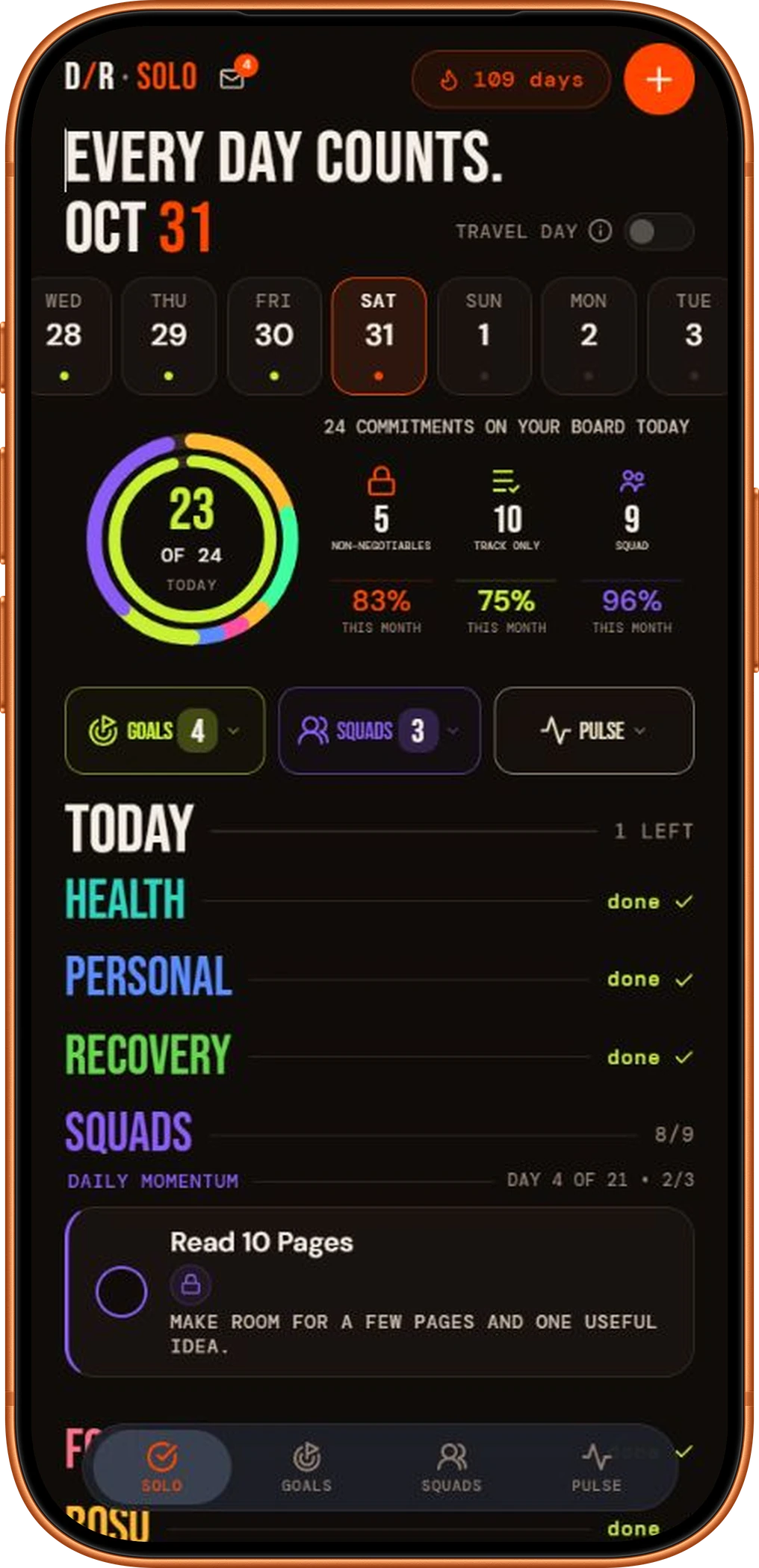
Watch the walkthrough.
See the original demonstration of creating an AI plan, sending it through the D/R integration, and reviewing it in D/R before approval.

Watch the walkthrough, then use the workflow to move from AI planning into daily execution inside D/R. Open on YouTube.
Prefer a ready-made starting point?
The D/R Plan Library has plans you can review and make your own. Use ChatGPT when you want help shaping a personalized plan; use the library when an existing starting point fits.
Questions about plans and daily habits
What should I include in a ChatGPT habit plan?
Describe the outcome you want, the time you have, and the constraints the routine should respect. Review the proposed actions and schedule before deciding which commitments to send to D/R.
What do I do after the plan is approved in D/R?
Return to your board, follow the schedule you chose, and record what happened. Review the pattern and adjust commitments that do not fit your life.
Can I start from an existing plan instead?
Yes. Use the Plan Library if a ready-made starting point fits. Review the proposed habits, schedule, and plan allowances before approving what gets added.
Make a plan. Choose your next action.
Let AI help with the planning. Use D/R to review your commitments, record what happened, and keep coming back.